How to Wireframe a Squarespace Website
If you’ve ever opened a blank Squarespace site and immediately started designing pages, you’ve probably felt the chaos that follows.
Sections get rebuilt multiple times. Clients change their minds halfway through. Layout consistency disappears. Mobile responsiveness becomes an afterthought. Suddenly what should have been a streamlined Squarespace project turns into a slow, repetitive process.
That’s exactly why professional designers wireframe first.
Wireframing is one of the most overlooked parts of the Squarespace web design workflow, yet it’s one of the most valuable. A solid wireframe gives structure to the project before visual design begins. It helps define hierarchy, layout flow, content placement and user experience long before you start styling anything inside Squarespace.
For designers building custom Squarespace websites regularly, wireframing also becomes a major time-saving system.
Contents
- What Is a Squarespace Wireframe?
- Why Wireframing Is So Important for Squarespace Websites
- The Best Tools for Squarespace Wireframing
- How to Wireframe a Squarespace Website Properly
- Why Modular Wireframing Is Becoming the Preferred Squarespace Workflow
- Common Squarespace Wireframing Mistakes
- Final Thoughts
- FAQ
Why Wireframing Is So Important for Squarespace Websites
1. Squarespace Works Best With Planned Structure
Unlike fully custom-coded websites, Squarespace relies heavily on sections and layout systems.
The best Squarespace websites are usually the ones with:
clean section flow
consistent spacing
repeatable content structures
intentional user journeys
Wireframing helps you define all of that before design decisions complicate the process.
Instead of improvising page layouts while building, you already know:
what sections are needed
where content belongs
how pages connect together
how the mobile experience should flow
That leads to cleaner builds and faster development.
2. It Speeds Up Client Approval
One of the biggest benefits of wireframing is reducing client revisions.
When clients review a fully designed homepage, they tend to comment on colours, fonts and visuals instead of focusing on layout and structure.
Wireframes remove that distraction.
Clients can review:
page hierarchy
content order
section strategy
calls to action
navigation flow
before design work even starts.
This dramatically reduces scope creep later in the project.
3. Wireframes Improve Mobile Responsiveness
A huge issue in Squarespace design is desktop-first thinking.
Designers build visually impressive desktop layouts, then discover the mobile version becomes awkward and cluttered.
Wireframing helps you think responsively from the beginning.
You start considering:
stacking order
content spacing
mobile scrolling flow
section pacing
CTA placement
before styling anything.
This creates far more polished responsive Squarespace websites.
4. It Reduces Repetitive Work
Most Squarespace designers rebuild the same layouts repeatedly.
Hero sections.
Feature rows.
Testimonials.
Service blocks.
Pricing layouts.
FAQ sections.
The structure barely changes between projects.
A proper Squarespace wireframe builder or modular layout system lets you reuse proven layouts instead of rebuilding them from scratch every time.
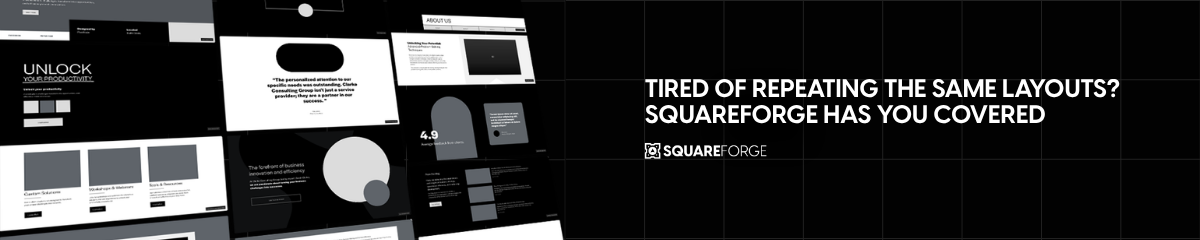
This is where systems like SquareForge become incredibly valuable.
The Best Tools for Squarespace Wireframing
There are several ways to wireframe Squarespace websites, but each tool serves a slightly different purpose.
SquareForge
SquareForge is designed specifically for Squarespace designers.
Instead of being a generic design tool, it acts as a modular Squarespace wireframing and layout system built around reusable website sections.
Rather than drawing wireframes manually every time, designers can rapidly assemble websites using pre-structured Squarespace layouts and reusable sections.
This makes it ideal for:
rapid Squarespace prototyping
client website planning
reusable layout workflows
modular web design
faster Squarespace project delivery
The major advantage of SquareForge is that it mirrors real Squarespace website structure.
You’re not designing unrealistic static mockups that later need rebuilding inside Squarespace. You’re working with layouts designed specifically for Squarespace workflows.
That massively reduces friction between:
planning
prototyping
design
development
For professional Squarespace designers handling multiple projects, this becomes a huge workflow improvement.
Why Designers Use SquareForge for Wireframing
Faster project setup
Reusable Squarespace sections
Consistent page structure
Cleaner design systems
Better client presentation
Reduced repetitive layout work
Easier collaboration
Faster prototyping
It’s especially useful for agencies and freelancers building custom Squarespace websites regularly.
Canva
Canva is one of the simplest tools for basic Squarespace wireframing.
It works well for:
quick visual layouts
beginner-friendly wireframes
simple client concepts
rough homepage planning
Because Canva is highly visual and easy to use, many newer Squarespace designers start here.
However, Canva has limitations.
It’s not built around responsive web systems or modular Squarespace structures. That means layouts created in Canva often need substantial rebuilding once you move into Squarespace itself.
Canva works best for:
rough planning
visual references
lightweight client presentations
but less well for scalable professional workflows.
Figma
Figma is one of the most popular professional wireframing and UI design tools.
Many agencies use Figma because it allows:
collaborative wireframing
responsive layout systems
design components
team workflows
interactive prototypes
For complex custom website projects, Figma can be extremely powerful.
However, for Squarespace designers specifically, Figma can sometimes introduce unnecessary complexity.
Designers often spend hours creating highly polished mockups that then need rebuilding manually inside Squarespace.
This creates duplication in the workflow.
That’s why many Squarespace professionals are shifting towards modular Squarespace-first systems instead of generic UI tools.
Pen & Paper
Still underrated.
Some designers wireframe faster using simple sketches before touching software.
This works particularly well for:
homepage planning
user flow mapping
early brainstorming
rapid concept development
The downside is obviously scalability and client presentation quality.
But for internal planning, quick sketching is still incredibly useful.
How to Wireframe a Squarespace Website Properly
Step 1: Define Website Goals
Before touching layouts, define:
the purpose of the website
the primary conversion goal
the user journey
the core pages required
For example:
A service-based Squarespace website may need:
Homepage
Services
About
Portfolio
Testimonials
Contact
An ecommerce site may need:
Collection pages
Product landing pages
FAQs
Upsell sections
Email signup flows
The wireframe should support these goals from the start.
Step 2: Plan the Page Structure
Now map out the hierarchy of each page.
For example, a homepage wireframe might include:
Hero section
Social proof
Services overview
Benefits section
Portfolio preview
Testimonials
FAQ
Final CTA
This stage is all about structure, not styling.
Step 3: Build Reusable Sections
This is where professional workflows differ from beginner workflows.
Experienced Squarespace designers rarely create every section from scratch.
Instead, they use modular layouts and reusable sections.
For example:
3 hero variations
4 testimonial layouts
5 CTA structures
reusable service grids
reusable FAQ systems
Over time, this becomes a reusable Squarespace section library.
SquareForge is designed around this exact workflow.
Instead of manually recreating layouts every project, designers can assemble websites rapidly using pre-built modular structures.
Step 4: Think Mobile First
Every section should be evaluated for:
mobile stacking
readability
CTA placement
scroll pacing
content density
This is especially important with Squarespace Fluid Engine.
Wireframes should account for responsive behaviour before visual design begins.
Step 5: Present the Wireframe Before Design
This stage is critical.
Get client approval on:
page structure
section order
user flow
content hierarchy
before styling anything.
This prevents expensive revisions later.
Why Modular Wireframing Is Becoming the Preferred Squarespace Workflow
The traditional process looked like this:
Design in Figma
Rebuild in Squarespace
Adjust responsiveness
Rework layouts
Repeat
Modern Squarespace workflows are becoming far more modular.
Designers now increasingly:
Use reusable layout systems
Prototype directly with modular sections
Build faster using structured layouts
Refine visually afterwards
This dramatically reduces duplicated work.
Instead of reinventing layouts every project, designers build systems.
That’s why modular Squarespace wireframing tools like SquareForge are gaining traction among agencies and freelancers.
Common Squarespace Wireframing Mistakes
Designing Too Visually Too Early
Many designers jump straight into aesthetics.
That usually leads to:
weak content hierarchy
poor UX decisions
inconsistent layouts
Structure should come first.
Ignoring Mobile Layouts
Desktop-only planning creates problems later.
Always consider mobile behaviour during wireframing.
Creating Completely Unique Layouts Every Time
Custom does not mean reinventing every section.
Professional designers rely heavily on reusable layout systems.
That’s how projects become scalable.
Overcomplicating the Process
Wireframes do not need to look beautiful.
They need to communicate structure clearly.
Final Thoughts
Wireframing is one of the most important parts of building better Squarespace websites.
It improves:
project clarity
client communication
mobile responsiveness
workflow speed
layout consistency
development efficiency
For occasional projects, tools like Canva or Figma can work perfectly well.
But for professional Squarespace designers building websites regularly, modular systems offer a much more scalable workflow.
That’s where SquareForge stands out.
Instead of rebuilding layouts from scratch every project, designers can rapidly prototype, structure and build websites using reusable Squarespace sections and modular layouts designed specifically for Squarespace workflows.
And ultimately, that’s what modern Squarespace design is really about:
building smarter systems, not repeating the same work endlessly.
FAQs
-
A Squarespace wireframe is a structural blueprint that maps out page layouts, content hierarchy and section flow before visual design begins.
-
Wireframing improves layout planning, mobile responsiveness, client approvals and overall workflow efficiency.
-
It depends on your workflow. SquareForge is designed specifically for modular Squarespace wireframing and reusable layout workflows, Canva works for simple visual planning, while Figma works for advanced UI systems.
-
Yes, but it’s usually faster and more strategic to plan structure first using a dedicated wireframing system or modular layout framework.
-
SquareForge helps designers rapidly wireframe, prototype and build Squarespace websites using reusable modular layouts and section systems.
If you want help building a faster, more professional Squarespace workflow, or you’re looking for easy-to-use reusable sections for Squarespace 7.1, SquareForge gives designers a modular layout system built specifically for modern Squarespace websites.
Instead of rebuilding the same layouts for every project, you can wireframe faster, prototype pages more efficiently, and streamline your entire Squarespace design process using conversion-focused reusable sections and flexible website structures.